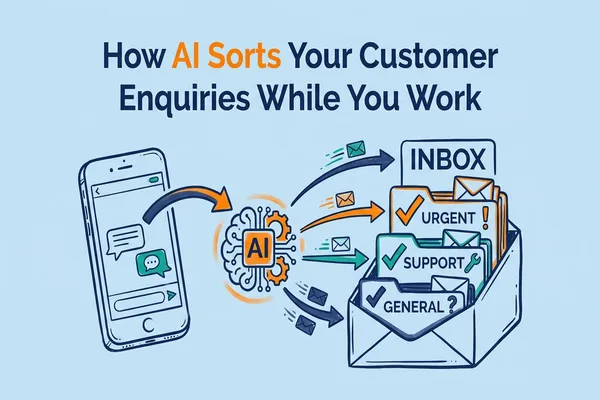
How AI Sorts Your Customer Enquiries While You Work
The old way: You finish a job at 4pm. You check your phone. There are six new messages. Two are junk. One is a quote request from three hours ago. They already booked someone else.
The new way: AI reads every message as it arrives. It sorts the junk from the real leads. It sends a reply in seconds. When you check your phone at 4pm, the hot leads are at the top. And they already got a response.
This post shows you exactly how that works. One use case. Five quick wins. No tech degree needed.
Quick-win sidebar: If you only do one thing from this post, do Win 3. Set up urgency flagging for new enquiries. It takes five minutes and stops you missing the jobs that need you today.
Win 1: Let AI read and sort your messages by type
What: AI scans every incoming enquiry and tags it. Quote request, callback, complaint, spam. Each one gets a label.
Why: Right now, you probably treat every message the same. You open them one by one and decide what to do. That takes time. And it means the hot quote request sits behind two spam messages. AI puts the money-making enquiries at the top so you see them first.
How:
- Connect your website form, email, and text messages to a CRM that supports AI tagging
- Set up categories: Quote Request, Booking, General Question, Spam
- Turn on auto-tagging so every new message gets sorted the moment it arrives
Win 2: Send instant replies to new enquiries
What: AI sends a personalised reply within seconds of a new enquiry landing. Not a generic "we'll get back to you." A reply that uses the customer's name and mentions what they asked about.
Why: Research shows that responding within five minutes makes you nine times more likely to win the job. Most tradies take hours. Some take days. An instant reply keeps you in the race while you finish the job you're on.
How:
- Write three reply templates: one for quote requests, one for bookings, one for general questions
- Set your CRM to match the enquiry type (from Win 1) to the right template
- Add merge fields so the reply includes the customer's name and service they asked about
Win 3: Flag urgent leads so you see them first
What: AI checks each enquiry for urgency signals. Words like "today," "emergency," "ASAP," or "quote needed" get flagged as high priority.
Why: Not every enquiry is equal. A customer who needs a plumber today is worth more right now than someone asking about prices for next month. AI makes sure you never miss the urgent ones because they were buried in your inbox.
How:
- Set up a priority rule in your CRM: if the message contains urgency words, mark it as "Hot Lead"
- Turn on push notifications for hot leads only
- Check hot leads on your break. Handle the rest at the end of the day.
Win 4: Auto-collect the info you need before you call back
What: When a new enquiry arrives, AI sends a short follow-up asking for the details you need. Job type, suburb, and best time to call.
Why: Half the time, a customer's first message is vague. "Hi, I need a quote." You call back. They don't answer. You leave a voicemail. They call back two days later. AI skips this loop by asking for details upfront while the customer is still interested.
How:
- Create a short follow-up message (3 questions max) for each enquiry type
- Set it to send automatically 60 seconds after the initial reply
- Store the answers in your CRM so they are ready when you call back
Win 5: Get a daily summary instead of checking all day
What: AI sends you one summary each morning. How many enquiries came in yesterday. How many were replied to. Which ones need your attention.
Why: Checking your phone every 20 minutes kills your focus. A daily summary lets you batch your admin. You deal with enquiries once a day instead of all day.
How:
- Set up a daily report in your CRM (most AI-enabled CRMs have this built in)
- Choose a delivery time that works for you. 6am or 7am before you start your first job
- Review the summary over your morning coffee. Call the hot leads first.
Which One Should You Start With?
Start with Win 3. Set up urgency flagging. It takes five minutes. You will stop missing the jobs that needed you today. Then work through the rest one at a time.
The Australian Government is rolling out new rules on how businesses use AI with customer data. If you use AI to make decisions that affect people, you may need to disclose that in your privacy policy by December 2026. Check the OAIC guidance on AI and privacy to make sure you are covered.
Want to see how this would work for your business? We run a free AI audit that maps out which parts of your admin AI can handle. It takes 30 minutes and you walk away with a clear plan.
Ready? Grab a free call and we will walk you through it.
